 Podcast Clip Kit
AI Podcast Clip Editing: Keep the Reaction, Not Just the Quote
A real Ghost Huns exchange shows why the reply and the other host’s face deserve a place in your clip review.
When you use an AI podcast clip generator, the strongest sentence is only one candidate for the strongest clip. A listener’s expression, a brief qualification or a shared look may be what makes the exchange understandable. Cut those away and you can keep the words while changing the moment.
Ghost Huns offers a concrete example. The comedy-paranormal show is hosted by Hannah Byczkowski and Suzie Preece. In Spotify’s September 2025 creator case study, the hosts describe expressions and pauses as part of their comedy, and video as material for social promotion.
A real exchange to review before cutting
We inspected the accompanying official interview, including the exchange around 00:17–00:24. In the player’s transcript, a discussion of how long the show has been running includes “Feels like much longer,” followed by “In a nice way.” The conversation then makes a joke about how their relationship might be interpreted. Those short qualifications give an editor a reason to look beyond the first apparently usable line. Watch the interview in the official case study.
At 00:18.52: a tighter composition
Our first checked frame shows the host in stripes prominently, with the other host partly visible at the right edge, looking toward her. The composition gives one person most of the space while still retaining part of the other person’s response.
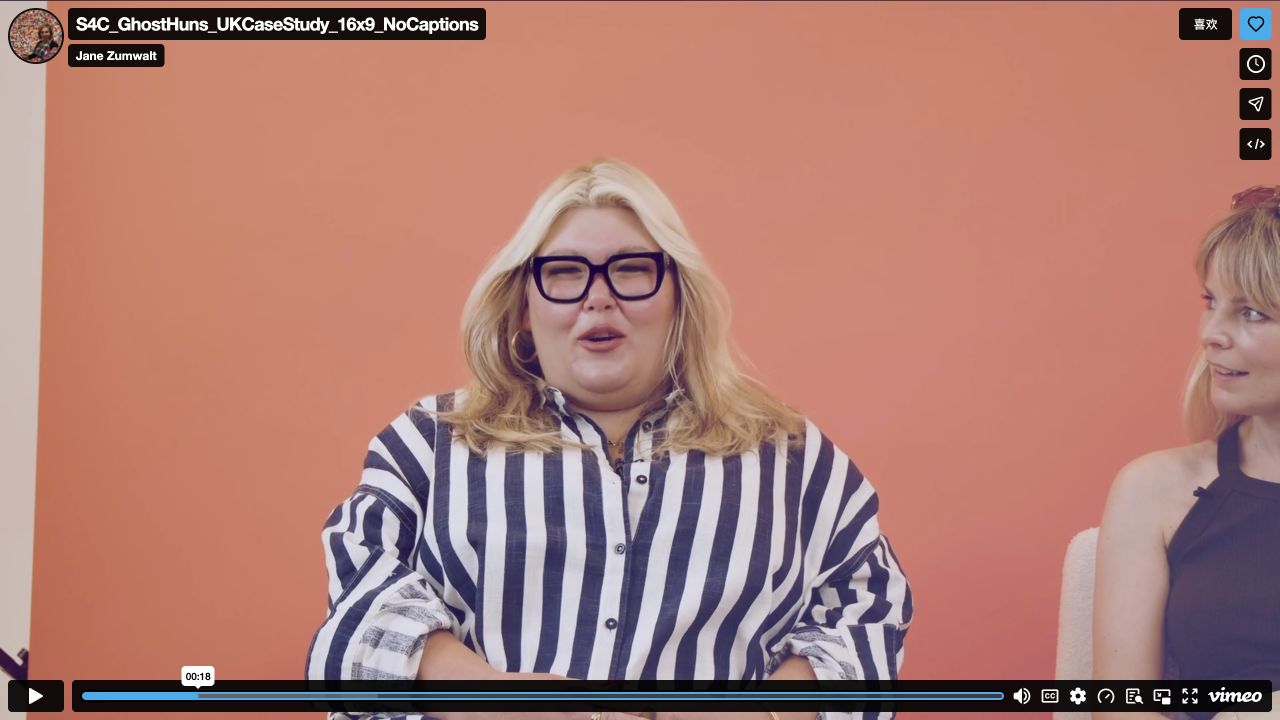
For a podcast clip maker, this is a useful review question: if you crop again for vertical video, which person disappears? A speaker-focused frame can work well for an explanation. In an exchange between two hosts, however, it may remove the person whose expression helps the viewer interpret that explanation.
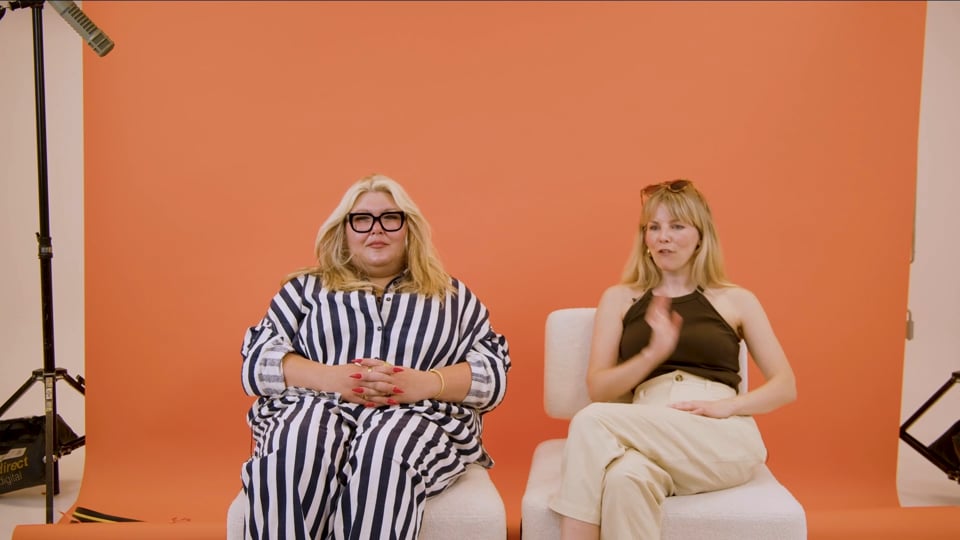
At 00:23.52: both faces are available
The second checked frame shows both hosts more fully. One has her hands clasped; the other faces her with a visible smile and a raised hand. The wider shared composition makes both expressions available to the viewer.
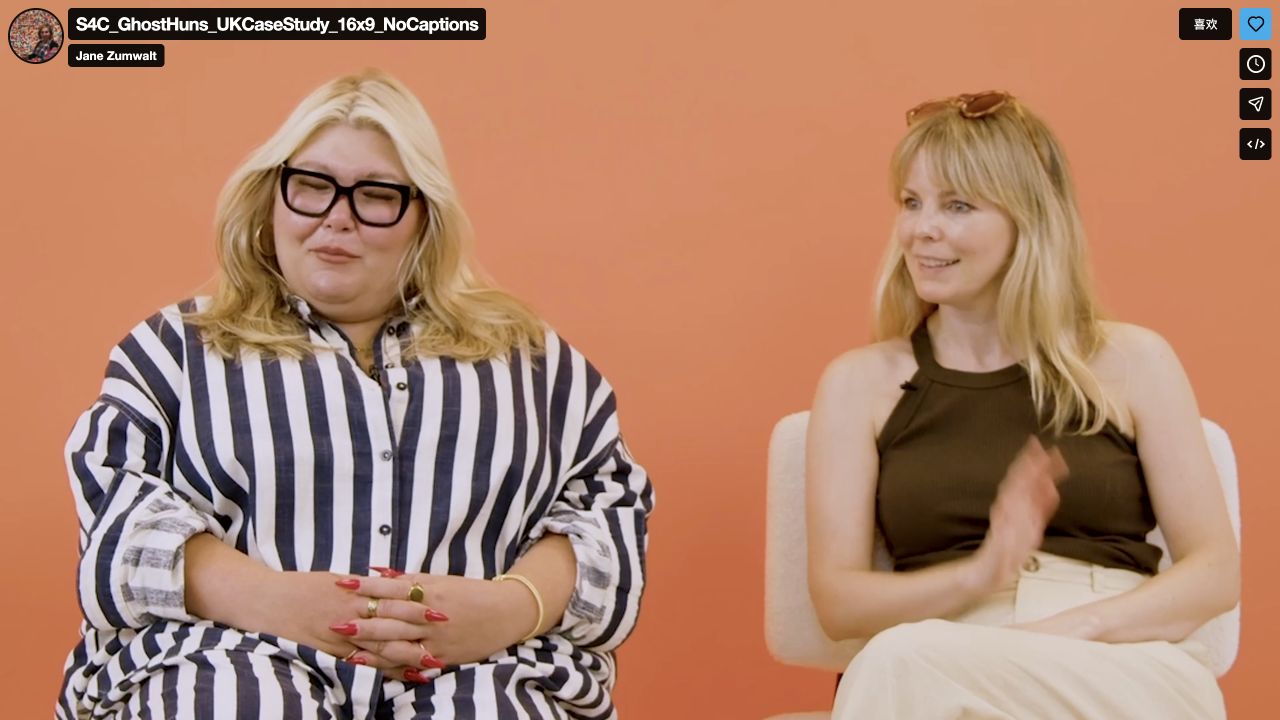
A close view emphasizes one person. A shared view gives the viewer more of the interaction to interpret. Judge the cut by the complete exchange: the remark, its qualification and the visible response. Do not manufacture a hostile or surprised reaction by borrowing a face from elsewhere in the recording.
Find the complete exchange with an AI podcast clip generator
Start with a candidate passage, then review beyond its proposed beginning and ending. Use four markers in your notes: context, remark, response and resolution.
- Context: What question or topic makes the line intelligible? In the inspected interview, the topic is how long the show has been running. A clip beginning later may need some of that setup.
- Remark: Which line changes the direction of the conversation? Keep its meaning intact; a shorter version is not useful if it creates an implication that the next sentence corrects.
- Response: Where does the other person react? Watch the face and hands, including when that person is not speaking. Mark the actual response in the same exchange.
- Resolution: Does a qualification or follow-up clarify the tone? Try ending after it, then compare that version with an earlier cut. Do not assume the loudest moment is the natural ending.
There is no universal number of seconds to add around a joke. Keep enough to make this specific exchange readable. If it requires too much setup for your intended short, choose another passage rather than replacing missing context with an exaggerated title.
A practical review before turning a podcast into Shorts with AI
Make two private review versions if your editing setup allows it. In one, keep the candidate’s tighter framing. In the other, preserve the same words and timing but show both people during the relevant response. Keeping the other choices the same helps you identify what the framing changes.
Ask a reviewer who has not seen the interview three questions: what were they discussing, what changed during the exchange, and did the ending clarify or distort the tone? Record the answer in plain language.
Then inspect captions at phone size. Keep the sentence readable without covering the eyes, mouth or hands you selected the shot to preserve. Check the final export, because reviewing a clean source frame does not tell you what the finished subtitles obscure. If you later test different timing, do that as a separate comparison.
Use Podcast Clip Kit, then review the interaction
Podcast Clip Kit offers an AI podcast clip maker with a video upload entry on its homepage. Start with a recording you have permission to use, then apply this review to the clips you intend to publish. Keep the source passage handy so you can compare the proposed short with the surrounding conversation.
Use an AI podcast clip generator to create candidate clips, then review how each one preserves the joke and the interaction. If the output loses an important response, adjust it using the editing controls actually available to you, use another editor where necessary, or choose a more self-contained moment.
For the earlier selection decision, read how to choose podcast clips. For images and other information that may disappear from a frame, see our guide to preserving visual context. This article adds a different check: whether the short preserves the relationship between a remark and its response.
Judge clarity separately from reach
After publication, review both how clearly the clip communicates and how viewers respond. On YouTube, raw Shorts views count starts and replays without a minimum watch time; the platform retains Engaged views for comparisons of continued watching. That distinction dates from March 31, 2025. YouTube’s official explanation sets out the definitions.
Track episode activity alongside these viewing metrics. Use the podcast clip analytics guide to keep views, referrals and attributable episode activity separate. For the edit itself, the immediate question is simpler: does a new viewer understand the same exchange the original recording presents?