 Podcast Clip Kit
How to Choose Podcast Clips from Audience Comments
A real creator workflow, plus a practical method for turning listener feedback into a clip brief.
To choose podcast clips from audience comments, use feedback to find a moment worth reviewing, then return to the recording to check its context. A reaction can tell you where to look. The source conversation determines what you can responsibly cut.
A real example: how Two Hot Takes finds moments
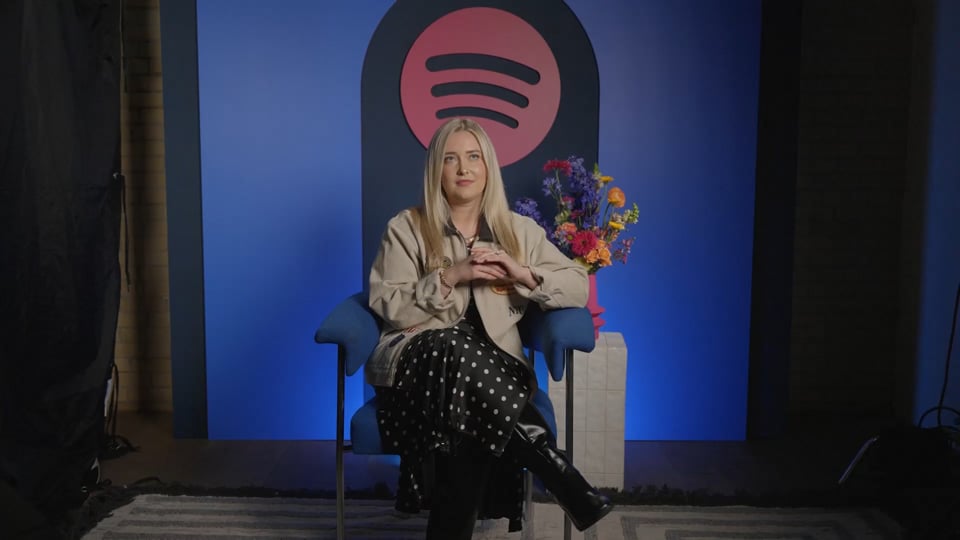
In a July 2025 Spotify interview, Two Hot Takes host Morgan Absher described reading audience responses to understand reactions to stories, episodes and guests. She also explicitly connected comments to clip selection: listener reactions helped her identify moments that resonated, which she could then pull into clips. She described those previews as a way for people to sample a show or episode. Read Spotify’s interview with Morgan Absher.
Use audience feedback to identify moments worth reviewing, then check which ones make sense to a new viewer.
Turn a reaction into an editing question
The useful distinction is between finding a candidate and approving a finished clip. Keep those as separate decisions. A listener who has heard an entire episode brings context that a new viewer will not have. Before adopting the listener’s favourite moment, ask what someone encountering the show for the first time would need to understand it.
Do not reduce every response to a popularity score. An appreciative comment, a request for clarification and a disagreement can each point to useful material, but they call for different editorial treatment. Start by writing the question the proposed clip should answer. If you cannot state that question without referring to an earlier part of the episode, widen the source review.
1. Collect specific feedback, including questions
Spotify’s current help documentation says creators can read live episode comments in the Comments tab, see reply threads, and use filters such as Trending or Contains a question. It also explains that comment order depends on several factors and that pinned comments appear at the top. The first visible comment is therefore not a neutral ranking of the episode’s best moments. Spotify’s current guide to reading and responding to comments.
For your working notes, record the episode, the feedback location and the idea being discussed. Preserve enough context to distinguish the listener’s words from your interpretation. Avoid copying personal details into a public article or clip caption when they are irrelevant to the point.
If a comment has no timestamp, treat its topic as a search clue rather than inventing a source position. Find the passage in your recording or transcript, then verify it against the video. A remembered quotation is not a reliable edit boundary.
2. Review the conversation before and after the moment
Play the surrounding exchange before deciding where to start. Identify the question, the answer and any qualification that changes the answer’s meaning. Check who a pronoun refers to, whether a speaker is describing a hypothetical situation, and whether a later sentence corrects the statement you planned to feature.
A useful candidate review ends with a concrete decision: keep the passage, include more context, or reject it for this purpose. Do not force every popular moment into a standalone short. Some moments depend on a running joke or an earlier disclosure that cannot be explained cleanly in the proposed excerpt.
3. Choose an edit that matches the response
Use this decision table to turn comments from your own show into an editing brief.
| What the feedback points to | What to inspect in the source | Possible decision |
|---|---|---|
| A useful explanation | The question and the complete answer, including its limits | Keep a self-contained explanation with a clear ending |
| Confusion about a claim | The setup, definitions and any later clarification | Restore context or choose the clearer explanation instead |
| A funny reaction | The actual statement that prompted it and the original response | Keep the exchange together; do not attach the reaction to another statement |
| A recurring guest or story request | Whether the episode actually addresses the requested subject | Use a relevant passage or keep the request as a future episode brief |
4. Keep a traceable clip brief
Before rendering, put the feedback and source decision in one short record. This makes a later review more useful than a folder of exports with no explanation of why they exist.
- Audience question: What should a new viewer understand after watching?
- Feedback reference: Which episode and comment led you to investigate?
- Source range: Where does the relevant exchange begin and end?
- Context to preserve: Which setup, qualification or response must remain?
- Format: A complete highlight or an honest invitation to the fuller discussion?
- Review outcome: Approved, needs more context, or not suitable for this clip?
Keep timestamps tied to the exact version of the recording you are using. If you switch between an audio release and a video edition, verify the location again instead of assuming their timelines match. For the distinction between a highlight and a trailer, see our guide to choosing podcast clips.
5. Review the finished clip as a new viewer
Watch the export without first reading the episode description. Can you identify the subject? Does the ending deliver what the opening implies? Compare the captions with the audio, particularly names, numbers and negation. Check that the framing retains whichever speaker or response the passage needs.
When working with your own video, you can use Podcast Clip Kit to generate candidate clips, preview the results and download the exports. Use your feedback brief to evaluate those candidates.
6. Check what happened after publication
Record the published clip, its destination episode and the period you will review. Keep reactions to the clip separate from evidence that someone went on to the episode. If referral information is unavailable, record it as unknown rather than turning views into an estimated number of new listeners.
Review whether the finished piece answered the original question and whether subsequent feedback reveals missing context. That gives the next selection pass something specific to improve. Our podcast clip analytics guide explains the difference between clip attention, episode activity and later return behaviour.
What if your show has few comments?
You do not need a large comment section to begin editing. Start with a question raised in the conversation and select a self-contained answer. Then make the request for feedback part of the release, so the next selection pass has a specific question to investigate.
How Science Vs builds the question into production
In Spotify's July 2023 Science Vs interview, supervising editor Blythe Terrell describes a repeatable process: the episode producer proposes a question, then the team discusses it. The team wanted to reach listeners who were not following its social accounts. For a hangover episode, it asked people to choose the worst place to be hungover; a skincare episode used a playful product-identification poll. Terrell describes using immediate feedback to consider changes to episode promotion.
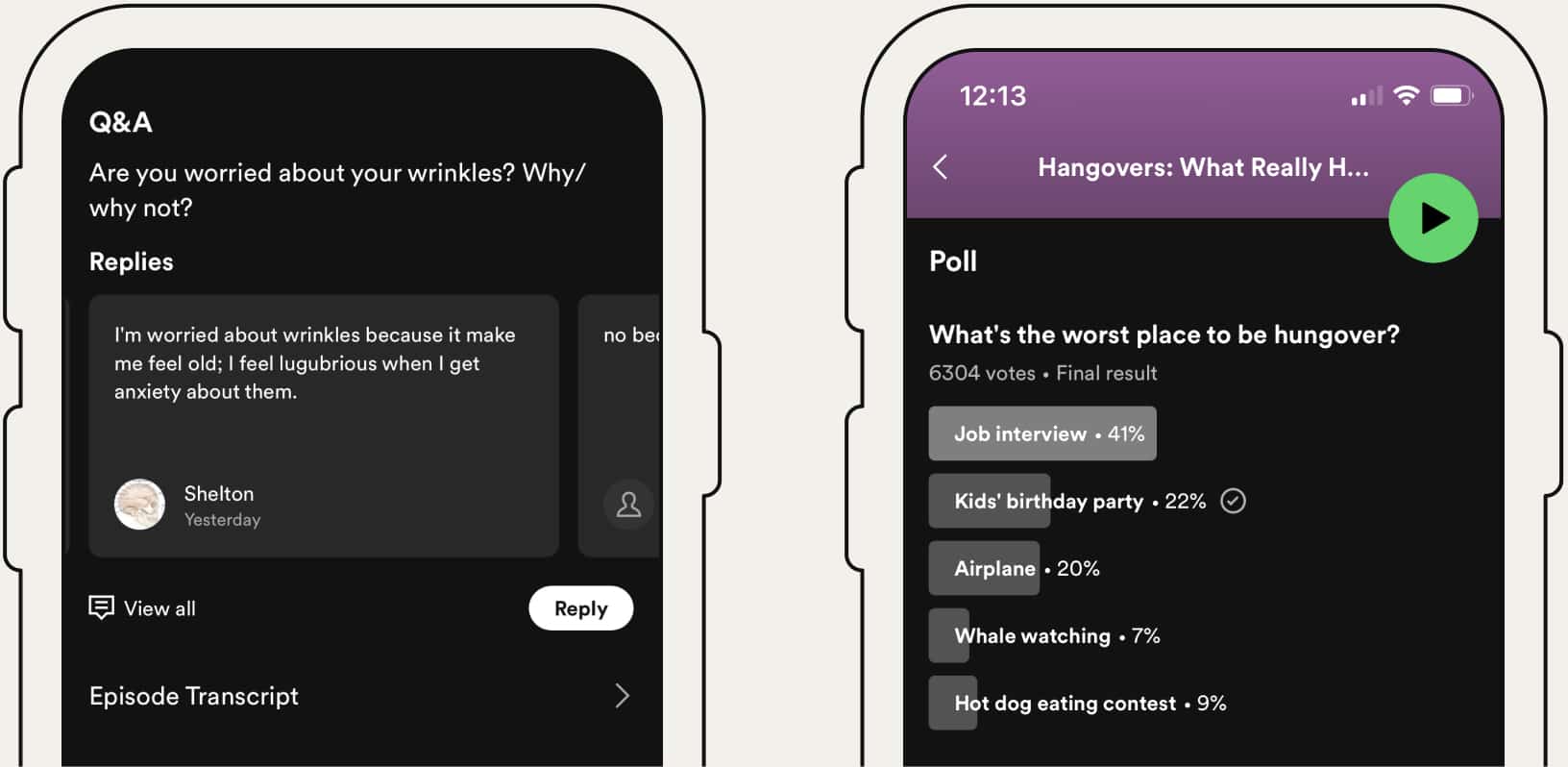
The case study's historical image shows two different prompts: an open question about wrinkles and a multiple-choice hangover poll. Its former Q&A feature has since become comments, as the article now notes. The useful distinction for an editor is between inviting an explanation and asking people to choose among options.
Ask for the feedback your next clip needs
For your own podcast clips, choose one unresolved editing question. If you want to understand confusion, ask which explanation needs another example. If you are choosing between subjects already covered in the recording, a poll can offer those subjects as options. These are suggested prompts for your release, so adapt them to the actual conversation.
Spotify currently supports one poll per episode, with two to seven answer options, optional multiple selections, and start and end dates. On the web, open Comments, then Polls, and add the poll to the relevant episode. Review wording before votes arrive: after a vote, changing the poll requires deleting it and creating another. Check Spotify's current poll instructions.
- Before publishing: record the question, options, episode and the decision the answers will help you make.
- At review: keep the response count and exact wording with the notes. Treat a small response as a lead to inspect, rather than a mandate to change the show.
- Before editing: locate the relevant passage and check whether it can answer the request on its own. Keep a future-topic request separate from a clip you can make now.
Bring that brief into your Podcast Clip Kit review. Choose a candidate because it answers the audience question clearly, then inspect the original exchange, captions and ending before export. When feedback is still sparse, continue with an editorially sound moment and retain the question for a later review.