 Podcast Clip Kit
Podcast to Shorts with AI: Keep the Visual Context
Two real frames from Bella Fiori’s official interview show why a podcast clip needs more than a strong sentence.
Turning a podcast into Shorts with AI starts with finding a good moment. It also requires deciding what the viewer needs to see. A clear sentence can become confusing when the picture it refers to disappears from the crop.
Mystery Mondays creator Bella Fiori offers a useful starting point. In Spotify’s January 2026 case study, she describes using on-screen messages, maps and faces to help tell a story. We checked the official accompanying interview and found a concrete visual sequence to examine. Below, two timestamped frames show why an AI podcast clip generator still needs an editorial review of the picture.
The creator’s problem: some information lives in the picture
According to Spotify’s case study, Fiori launched Mystery Mondays in 2017 after already creating beauty and fashion content. She describes putting messages on screen for viewers to inspect and using maps when geography matters. The example below comes from her official interview with Spotify.
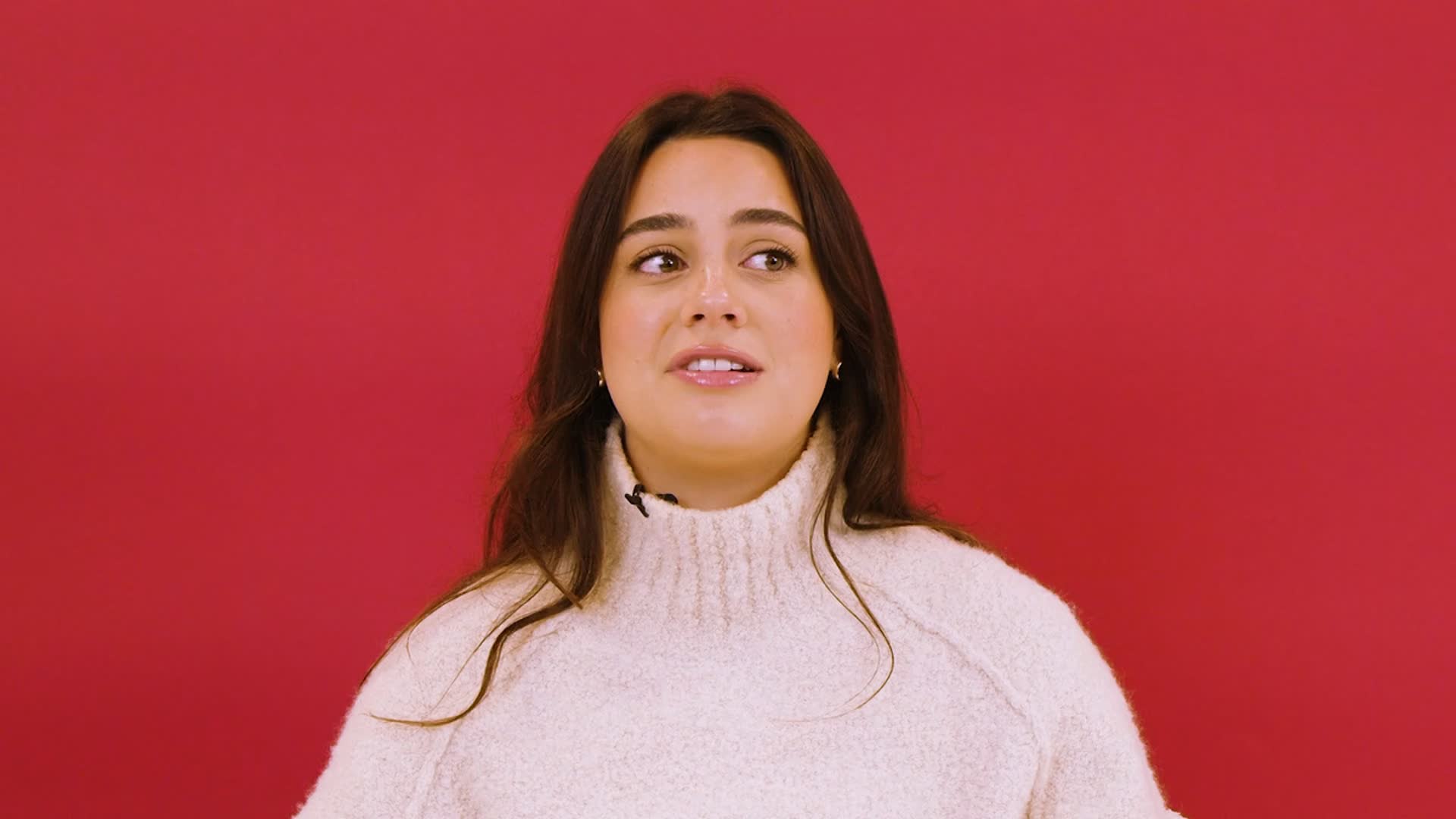
That distinction matters when choosing podcast clips. A talking-head passage and a passage built around an image call for different framing decisions. Before using a podcast clip maker, identify whether the viewer needs only the speaker’s explanation, or also a relationship visible elsewhere in the frame.
A real visual sequence: inspect 00:23 and 00:25
In the official interview at 00:23, an overhead photograph shows buildings among trees, with a red circle around one structure. At 00:25, the picture changes to a closer view of a shipping container. Inspect the short passage around them in the original video.
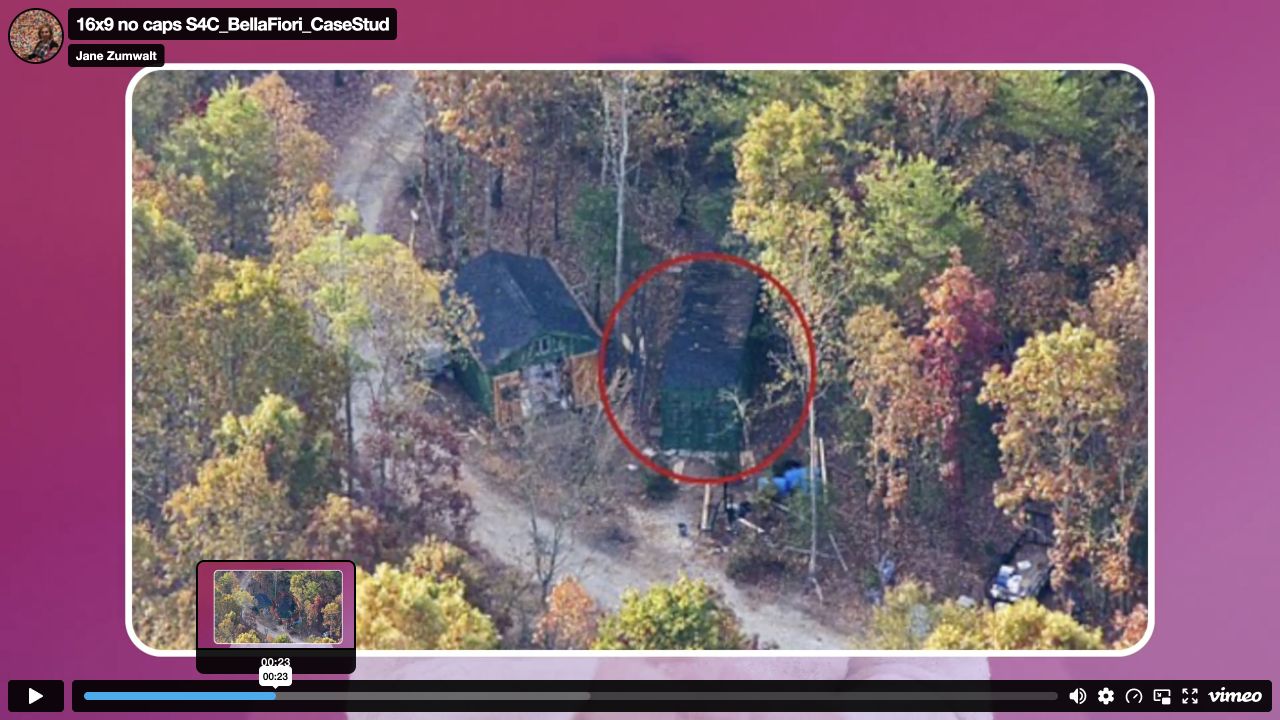
The overhead view gives the marked structure surrounding space. The closer photograph lets the viewer inspect a different level of detail. The screenshots retain the original player context so their source and playback positions remain apparent.
What a vertical crop could remove
Consider the 00:23 frame first. If you keep only the middle of the picture, the circled structure may remain visible while the neighboring building and surrounding approach lose space. The marker survives, but part of the relationship it points to can disappear.
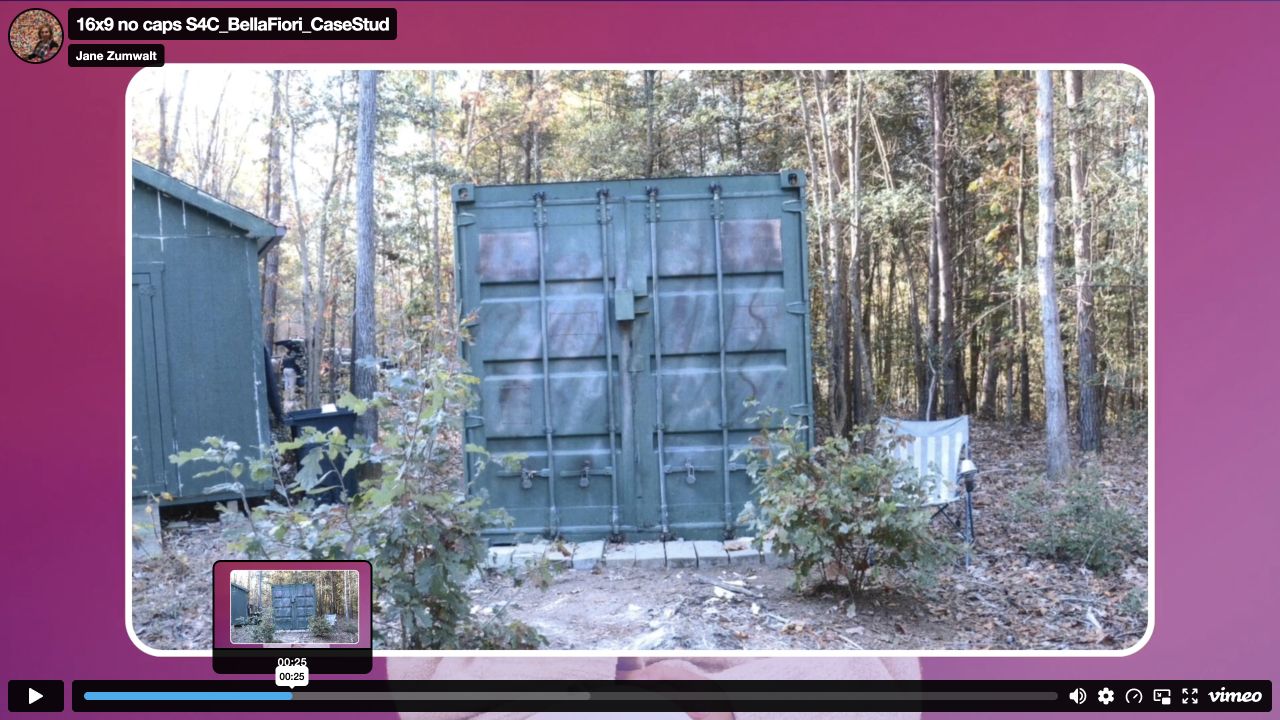
The 00:25 frame asks a different question: how much of the container and its immediate surroundings must remain visible for the viewer to recognize the view? A crop should be judged against that question, rather than whether it fills every pixel of a vertical screen. Keeping a wider image with space around it can be a reasonable editorial choice.
For a full-width 16:9 frame, a centered 9:16 crop at the same height retains about 31.6% of the original width: (9 ÷ 16) ÷ (16 ÷ 9). For this crop geometry, checking the edges helps you spot information that may disappear.
A review workflow for your AI podcast clip generator
Use this workflow on a recording you have permission to edit.
- Name the point of the clip. Write one sentence explaining what a new viewer should understand. If you need three unrelated explanations, narrow the selection before adjusting the layout.
- Find the visual dependency. Watch the source around the chosen passage. Mark references such as “this building,” “the route” or “the message.” Check whether the picture answers a question the voice leaves open.
- Compare the source and proposed frame. Look at the left and right edges, not just the speaker. For a frame like 00:23, check the highlighted structure and neighboring context separately. Do not assume that keeping the marker keeps its meaning.
- Choose what must stay. Preserve a wider view, change the layout in your editor, or select a different moment if the image cannot remain legible.
- Check text and captions together. A readable document can become unreadable under large subtitles. Review any on-screen material with the final caption placement visible, rather than checking each layer in isolation.
- Watch once as a new viewer. Test the clip at phone size. Ask someone unfamiliar with the source what the image explains. Record anything they find confusing and use it to refine the edit.
Using Podcast Clip Kit for podcast-to-Shorts work
Podcast Clip Kit provides an AI podcast clip maker with a video upload entry on its homepage. Start with your own recording, then use the visual-context checklist when reviewing the clips you intend to publish. The practical goal is a short video that still communicates the point of the original passage.
When you turn a podcast into Shorts with AI, keep a reference to the source passage alongside your review notes. If an important image is missing from the recording, treat sourcing and adding it as a separate editing task.
For selecting the moment itself, see how to choose podcast clips. For audience-led ideas, see choosing clips from audience comments. Those questions complement this one: a strong topic still needs a frame that preserves its meaning.
Keep a visual evidence card
Before publishing, record the source URL, checked timestamp, visible detail, reason for keeping it, and any uncertainty. For our 00:23 example: the source is the official interview; the visible detail is a circled structure in an overhead photograph; the editing question is whether the surrounding context remains understandable after reframing.
That card makes the next review concrete. Instead of “the clip looks good,” ask “does the viewer still see the relationship we selected it to explain?” An AI podcast clip generator can be part of the production process, while that final decision remains an editorial responsibility.
Review what happens after publication
To evaluate your own release, separate comprehension checks from distribution results and use a consistent record of views and attributable episode activity. Our podcast clip analytics guide explains that distinction.
Use these real frames as a reminder to review the complete message: the words, the picture and the connection between them. Then upload your own video to Podcast Clip Kit and apply the same questions to your next podcast clip.