 Podcast Clip Kit
How to Promote an Audio Podcast with Short Videos
Heart Starts Pounding’s recorded promos offer a practical starting point: introduce the episode on camera, then give viewers a clear route to the full story.
How do you promote an audio podcast with short videos when there is no camera recording to cut? One option is to record a fresh introduction to the episode. Start with the story you want a new listener to explore, then build a short on-camera invitation around it.
Heart Starts Pounding provides a useful example. In a March 2025 Spotify for Creators feature, host Kaelyn Moore and brand strategist Matt Brown explained that they made purpose-built promotional videos instead of lifting passages from the audio show. That approach gives an audio episode a video introduction designed for a new viewer.
The source-material problem came first
Heart Starts Pounding is a narrative horror, mystery and true-crime show created by Moore. The show’s official FAQ says the flagship began in 2022 and publishes weekly. When Spotify interviewed the team in 2025, its case article described the podcast as audio-only. The same official FAQ now says video versions are available on YouTube, showing that a show’s production format can evolve while its earlier promotional method remains useful for audio episodes and back catalog.

The team’s conflict was practical. A conversational video podcast can extract the guest’s face, the host’s reaction and the spoken exchange from the same recording. A narrated audio story cannot. You can pair the audio with relevant visuals, make an audiogram, or record a separate introduction. Choose based on what the viewer needs to understand.
Moore and Brown chose the separate performance. Brown described 60–90 second videos made to hook people on the episode. Moore said she talks about the episode’s subject in a way that feels native to the platform rather than presenting the result as footage from the recording. The result introduces the episode through a fresh host recording.
Two clip models, chosen by source material
The same Spotify feature places Heart Starts Pounding beside The School of Greatness, and the comparison is useful. The School of Greatness records video interviews, so its team can mark moments during the conversation, assemble a trailer and publish hard-hitting excerpts later. The historical Spotify graphic below presents clips from both shows within its promotional interface illustrations.
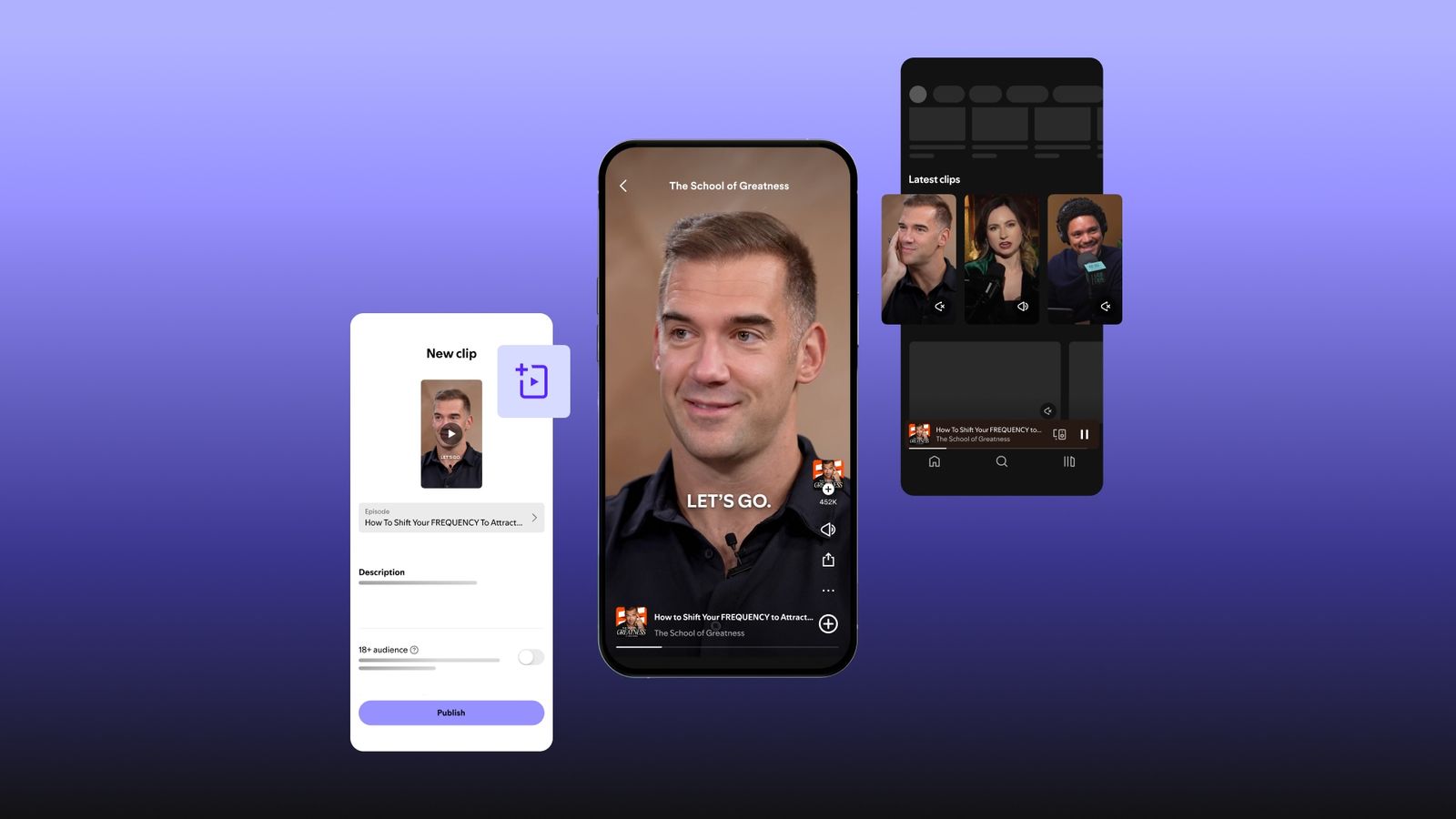
Choose between those models before editing:
- Use an episode excerpt when the original recording contains a complete exchange and the real picture contributes expression, action, an object or evidence.
- Build a trailer when several short moments can create one honest arc while preserving who said what.
- Record a fresh promo when the source is audio-only, the excerpt needs too much setup, or every proposed visual would merely decorate the words.
This decision prevents a podcast clip maker from solving the wrong problem. Automation can find a dramatic sentence, but it cannot turn a visually empty source into meaningful footage without a new editorial choice.
Write the promo as a doorway, not a summary
A fresh promo has one job: make the right viewer understand why this episode is worth entering. It does not need to retell the investigation, list every turn or reproduce the opening monologue.
Use four beats:
- Name the subject. Give the person, place, event or question a new viewer needs.
- Reveal the friction. State the contradiction, missing piece or decision that makes the story move.
- Offer one concrete detail. Choose a fact that sharpens the question without resolving it.
- Hand off to the episode. Tell viewers what the full story will help them understand.
Before recording, put each proposed detail beside its source in the episode research. Read the draft aloud and remove any line that needs a long explanation. The final invitation should point to a question the episode actually explores.
Prepare a recording brief with AI
To plan podcast shorts with AI, work from an existing transcript in a writing assistant and build a brief for the host to review.
- Transcribe and segment the episode. Mark the central question, the turning point and the final takeaway.
- Generate three promises. Ask for one sentence each aimed at a newcomer, a genre fan and an existing listener. Reject any promise the episode does not deliver.
- Build a fact card. Copy the names, dates, pronunciations and concrete detail used in the promo back to their locations in the research or transcript.
- Draft for speech. Turn the strongest promise into roughly 60–90 seconds, then remove background that the full episode can carry.
- Have the host revise and record it. The host should choose the language, add natural emphasis and perform the final script on camera.
- Edit the new recording. Tighten pauses, add accurate captions and use only visuals that explain a referenced person, place, document or object.
The host’s recorded delivery becomes the source of truth. Do not assemble synthetic speech from old sentences or present generated words as something the host said in the episode.
Give the frame an editorial job
Heart Starts Pounding’s official site describes a broader short-form presence across its social accounts. That does not require a complicated set for every promo. It does require intentional visual information.
Start with a stable direct-to-camera shot. Leave enough space for captions without covering the host’s eyes or mouth. When the script names a map, article, photograph or timeline, cut to that real item only long enough for viewers to understand why it matters. If you cannot verify or show the item, keep the host on screen and let the spoken line carry it.
Check the sound as carefully as the picture. Record clean voice, keep music below the narration, and listen once without watching. Then watch once muted to confirm the captions and visual handoffs still tell the same story.
The final review
- Is it obvious that this is a newly recorded promo rather than footage from the episode?
- Does the first sentence name a subject or conflict instead of announcing “a new episode”?
- Can every factual detail be traced to the episode research?
- Does the promo preserve the episode’s actual question and tone?
- Does each cutaway explain something the host says?
- Are captions accurate, readable and clear of the speaker’s face?
- Does the ending point to a specific payoff in the full episode?
- Would the promo still work if every decorative visual were removed?
Start with the episode’s strongest question, record the host introducing it for the screen, and check that the finished promo leads to a specific full episode.
Use a podcast clip maker once you have video
If you have a longer video recording with several complete passages to choose from, upload it to Podcast Clip Kit. Use the AI podcast clip generator to create candidates, preview them and choose the exports that fit your episode brief. For a short promo already recorded to its final length, review the recording directly in your video editor before publishing.
Keep the destination episode visible in your publication plan. Our podcast clip analytics guide explains how to follow viewing and episode activity; the clip selection guide helps when you have a full video conversation to work from.